
The brief
This was my coursework for the Advanced Web Technologies module at Keele University in spring 2022: build an online shop for a bookstore company, with registration and login, validation done in React, protection against common attacks, search engine optimisation, and a RESTful web service the company's manager uses to handle orders. It has three pages: the store, a combined login and registration page, and the manager's orders page.
Browsing and buying
Two dropdowns pick a category and a type of book (for example School Books, then English), and the books load in the background with AJAX. The grid shows four books a row on large screens, then three, two, and one on a phone. Anyone can browse. Logging in reveals the cart and an Add To Cart button on each book. Each click adds another copy and shows a tick for a moment, and the cart button keeps a running total.

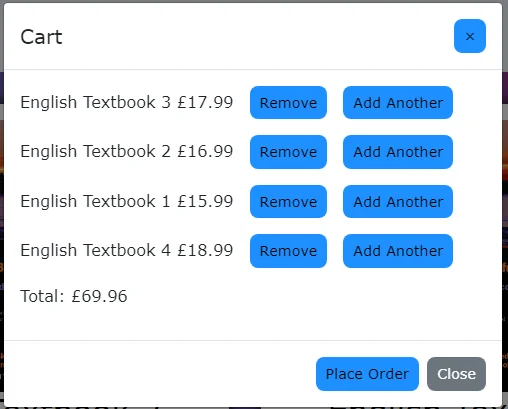

The cart opens in a Bootstrap modal where each book can be removed or added again. Place Order sends the order, shows "Order Placed" for a couple of seconds, then clears the cart.
Accounts and validation
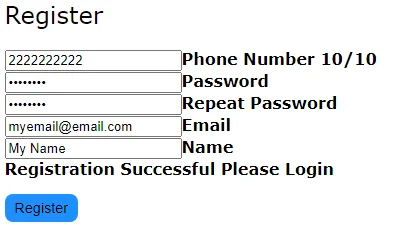
Customers register with a phone number, password, email and name, and log in with their phone number and password. Every field is checked as you type in React and checked again on the server:
- Phone numbers must be exactly 10 digits.
- Passwords must be 6 to 31 characters, and the repeated password has to match.
- Names and emails reject disallowed characters, and the message names the character you typed.
- The login and register buttons only switch on once every field is valid.
- An email that is already registered is refused, with a message saying so.
Writing an email regex that never rejected a real address turned out to be harder than expected, so the final check for emails happens in PHP on the server.
The manager's orders page
Users marked as managers get an Orders button that opens the order service. It lists every order with the customer's details, the books and the total. It refreshes every five seconds, and a button pauses and resumes the updates. A dropdown filters by status (New, Payment Received, Sent, Cancelled or No Answer). Orders are listed newest first, except when filtering to New, which lists the oldest first so the longest-waiting ones are at the top. Each order's status can be changed in place.
Security and data
- Every database query uses prepared statements, which prevents SQL injection.
-
Everything a customer types goes through
htmlspecialcharsbefore it is shown, so nothing a customer enters can run as a script on the manager's page. -
The data lives in MySQL tables linked with foreign keys: users, books, categories, types, orders, and an
order_to_book_relationtable, because an order can hold many books and a book can be in many orders. - For SEO, the store has meta descriptions and keywords, a
sitemap.xml, alt text on every image and proper headings.
Problems I solved
-
The category and type dropdowns sometimes requested books before the data they needed had arrived,
because React's
setStateis asynchronous. Moving the follow-up requests intosetState's callback fixed it. - Adding each order's books into the order's JSON gave an array that logged fine in the console but couldn't be looped over. Loading the books inside the order component itself fixed it.
What I'd add next
Pagination for both the store and the orders page, a front-end email check that matches the server's, and shared PHP functions for repeated work instead of copies in each endpoint.
Built with
React, jQuery and Bootstrap on the front end. PHP and MySQL (managed in phpMyAdmin) on the server. About 1,400 lines of my own JavaScript and 14 PHP endpoints. All book images are CC0.