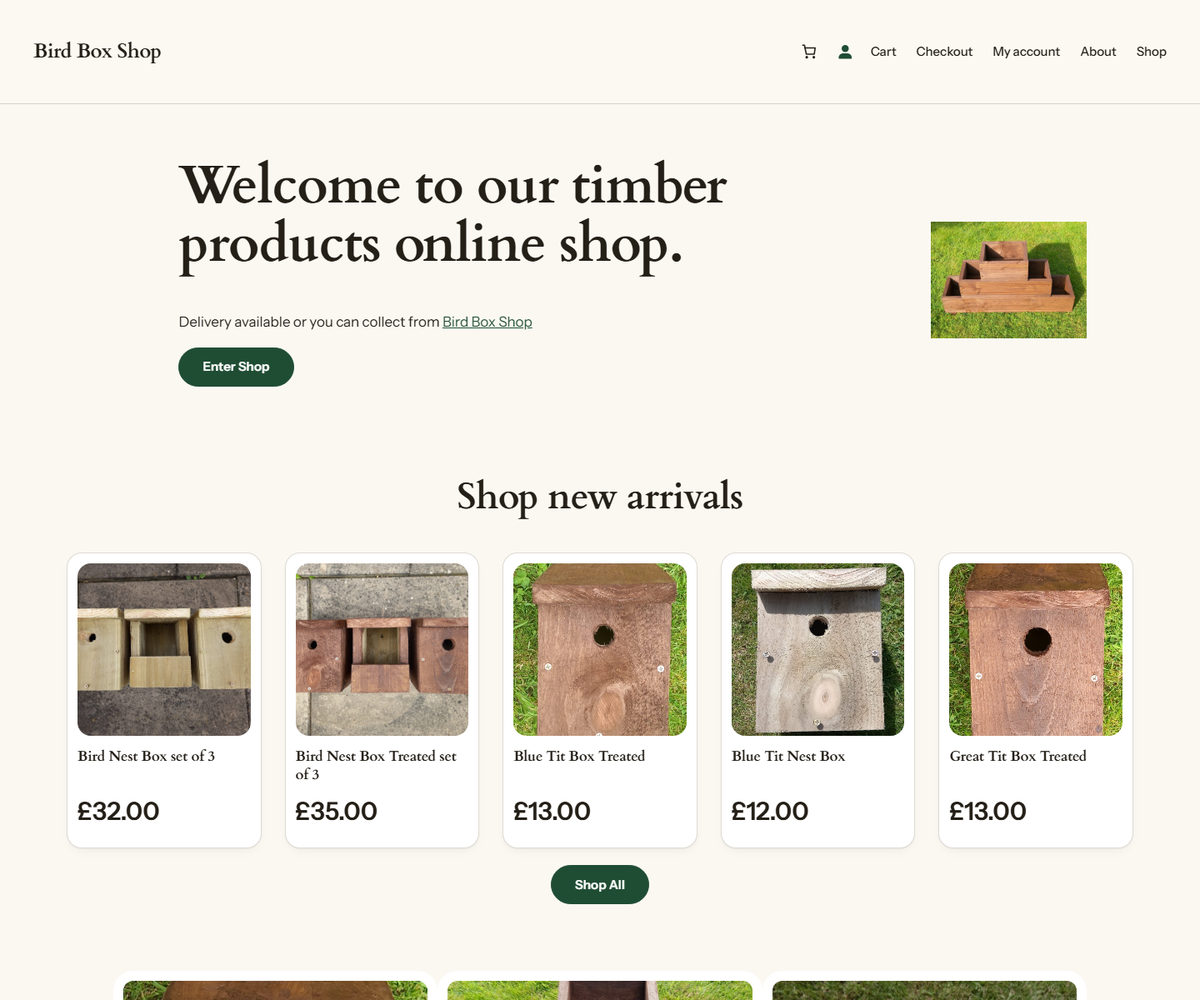
What I worked on
Bird Box Shop runs on stock WordPress with WooCommerce, and the owner manages products, prices and pages
from wp-admin as before. My part was everything around that: a new theme, a local copy of the
shop to work on without risking the real one, and a safe way to get changes back to production.
A theme that fixed the pages without editing them
The theme is a child of Twenty Twenty-Four. It's a block theme, so nearly all of the design lives in
theme.json: the palette, type scale, spacing, and button and block styles. A small stylesheet
covers the WooCommerce markup theme.json can't reach, such as product cards, the cart, the
sticky header and focus rings. Headings are set in Cardo and everything else in Instrument Sans, both
hosted by the theme itself, so there are no Google Fonts requests and nothing to disclose under GDPR.
The interesting part was a bug I found on the way. The shop's pages had been built with an older theme,
and about 200 colour settings saved in the database still pointed at that theme's colour names
(primary, secondary, foreground and so on). Twenty Twenty-Four
doesn't define any of them, so every one of those colours had quietly been resolving to nothing. Defining
the old names in the new palette repaired all of them at once, without touching a single block.
I also fixed the homepage's structure: it had its main heading as an <h3> and three
category tiles as <h1>s, and the header had an empty logo block, so the shop had no name
on any page.
Templates live in the database
The header, footer and homepage had been edited in WordPress's site editor, which means they aren't files. They're stored as posts, each tagged with the theme it belongs to. Switching to the new theme on its own would have silently dropped the shop back to Twenty Twenty-Four's stock header, footer and homepage. So switching re-tags those records first and repoints the homepage at them. These changes are written as PHP run through WP-CLI, so exactly the same code runs against my local copy and against production, rather than two hand-kept versions drifting apart.
A local copy of the live shop
- Docker: WordPress, MariaDB and WP-CLI in Docker Compose. The first start imports the live database dump.
- Sync: one script pulls the files and database down from the server. It only ever reads from production, and it exports the database with WP-CLI on the server, so the database password never passes through the script.
- Localise: WooCommerce saves full URLs inside its content. Without rewriting them, clicking any product on the local copy would take you to the live shop, where you could edit production by accident. A serialisation-aware search and replace fixes all of them (281 on the September 2026 copy).
- Git: the repository holds the environment and the theme only. WordPress itself, the plugins and the uploads (about 500 MB) and the database, which holds customer accounts, stay out of it.
Deploying
One script is allowed to write to production, and it asks before doing anything. It backs up the live database on the server and downloads a copy before changing anything, puts the shop into maintenance mode, uploads the theme, re-tags the templates and switches theme, applies the homepage fixes, takes the shop out of maintenance mode, and then checks that the home, shop and cart pages load. Every step is safe to run again, and the commands to roll back are printed at the end, or straight away if anything fails.
Built with
WordPress, WooCommerce, a block theme (theme.json), PHP, WP-CLI, Docker Compose, MariaDB, Bash
and SSH.